If you’ve ever stared at a crisp, high-definition image on a monitor, laptop screen, or even a retro gaming handheld that still feels sharp, chances are you’ve interacted with a display module with an HDMI board. As a supplier who’s worked with these components for over a decade, I’ve gotten countless questions from engineers, product designers, and hobbyists asking, “What actually goes into making that seamless, no-fuss display happen?” It’s not just a screen and a plug—every part has to work in lockstep, and skipping a single step means a blurry, unresponsive, or non-working output. Let me break down exactly how these modules function, from the signal coming in through the HDMI port to the image you see on the panel. Display Module with HDMI Board

First, let’s define what a display module with an HDMI board actually is, because it’s easy to mix it up with a standalone monitor. A basic display module is a compact, integrated unit that combines three core parts: the LCD (or OLED) panel that emits light, a controller board, and the HDMI interface board. The HDMI board is the unsung middleman here—it doesn’t produce the image, but it translates the signal from your source (like a laptop, Raspberry Pi, or gaming console) into something the panel can understand. That translation is critical, because HDMI sends digital signals tailored for consumer electronics, while display panels (even high-end ones) operate on very specific low-voltage, panel-specific signals. Without that board, you’d have a screen that looks like a blank, useless piece of glass.
Let’s start at the very beginning: the source device sending the signal. When you plug an HDMI cable into a source (say, a Raspberry Pi for a custom retro arcade cabinet, or a professional graphic design monitor), it’s sending two types of digital data: video and audio, though most display modules we supply are for video-only applications. HDMI 2.0, the most common standard for our modules, transmits uncompressed 10-bit video at up to 60 frames per second (fps) or compressed 4K video at higher fps, depending on the cable and source. That signal isn’t just a stream of pixels—it’s a structured packet that includes resolution, color depth, refresh rate, and timing information (like how long each frame should stay on screen) that the display needs to sync properly.
The first stop for that signal is the HDMI board itself, which is a small, rigid or flexible printed circuit board (PCB) with a few key components. The heart of this board is the HDMI receiver IC (integrated circuit)—we use parts from trusted manufacturers like Silicon Image or Parade Technologies for our modules, because they’re designed to handle the synchronization between source and display without lag. The receiver IC does three immediate things: it pulls the digital HDMI signal off the cable, strips out the audio data (if present), and extracts the video timing information to confirm it’s compatible with the connected panel. That compatibility check is non-negotiable. If a source tries to send a 4K 120fps signal to a module with an HDMI board rated only for 1080p 60fps, the receiver IC will either scale it down or shut off the video entirely to prevent damage to the panel.
Once the receiver IC has a clean, compatible video signal, it sends that data to the next critical part of the HDMI board: the panel’s timing controller (TCON) input. Wait, let’s clarify: some people confuse the HDMI board with the TCON, but they’re tightly linked. The TCON is a chip that lives on either the HDMI board or the display panel itself, and its job is to convert the digital video signal into analog or low-voltage differential signaling (LVDS) that the panel’s driver IC can process. For our most popular 10.1-inch and 15.6-inch modules, the HDMI board integrates the TCON to save space—something our clients (especially those building compact industrial devices or portable displays) consistently ask for. If you’ve ever noticed a display module that works with a Raspberry Pi out of the box, it’s because the HDMI board and TCON are pre-calibrated to pair with that panel.
Here’s where the magic of color and brightness comes in, too. The HDMI signal includes color metadata that tells the TCON how to reproduce colors, whether it’s sRGB for standard displays or Adobe RGB for graphic design work. The receiver IC on the HDMI board translates that metadata into panel-specific color settings, like white balance and gamma correction, so the red pixels don’t look pink and the blacks don’t look washed out. We test each of our HDMI boards for color accuracy before they leave our warehouse—even a 1% shift in gamma can make a product look unprofessional for designers.
Now, let’s talk about the part that actually makes the image visible: the display panel. The HDMI board communicates with the panel via a ribbon cable, usually LVDS or embedded DisplayPort (eDP) for newer modules. When the TCON sends a signal to the panel’s driver IC (a separate chip on the back of the panel), the driver IC activates the individual subpixels—red, green, and blue on LCD panels, or self-emitting pixels on OLED. For an LCD panel, this means liquid crystals twist to block or let light pass through a backlight; for OLED, each pixel emits its own light based on the voltage it receives from the driver IC. The HDMI board doesn’t control how the panel emits light, but it does control the timing of that light: every 16.67 milliseconds for 60fps (1/60th of a second), the TCON sends a new frame, and the panel refreshes to display it. That’s why HDMI-equipped modules have far less lag than VGA or older display interfaces—there’s no analog signal degradation between the HDMI board and the panel.
Now, let’s address a few common issues I’ve heard from clients, because that’s where the HDMI board’s role becomes even more clear. A lot of hobbyists who build their own custom projects might try to skip a pre-built HDMI board and wire a HDMI cable directly to a panel, and that almost never works. Why? Because HDMI signal is differential, meaning it sends data over two wires per signal line to reduce interference, while panels use single-ended lines. Without the HDMI board’s receiver IC to convert that differential signal, the data gets corrupted by electrical noise from motors, power supplies, or other electronics in a device. We had a client a couple years back building industrial control panels who tried that, and their displays kept showing flickering images until they switched to our standard HDMI-integrated modules—suddenly, the noise from their factory machinery didn’t affect the display at all.
Another common issue is resolution mismatch, and that’s almost always a problem with the HDMI board’s EDID (Extended Display Identification Data) settings. EDID is a small block of data stored on the HDMI board that tells the source device what resolutions, refresh rates, and color formats the display supports. If the EDID is misconfigured—say, it lists a 4K resolution for a 1080p panel—the source will send a signal the panel can’t handle, resulting in a blank screen or blurry image. That’s why all our modules come with pre-programmed EDID that matches the exact panel we use, so plug-and-play works every time. We also offer custom EDID programming for clients who need to lock a specific resolution (like 1080p) to prevent the source from trying to send a higher, unsupported signal.
Let’s also touch on the different types of HDMI boards we offer, because not all are the same. For consumer products like portable monitors, we use HDMI 2.0 boards that support high dynamic range (HDR) for brighter, more vivid colors. For industrial applications like factory control panels, we use HDMI boards with reinforced PCB material to resist vibration and temperature fluctuations (we’ve tested these from -40°C to 85°C, which is critical for outdoor industrial use). For automotive displays, we offer HDMI boards with E-Marker chips that comply with automotive safety standards, so they work reliably in vehicle cabins where temperature and vibration are extreme. Each of these boards is tailored to the end use case, which is why we don’t sell a one-size-fits-all HDMI module.
What about the future? We’re already testing HDMI 2.1-equipped modules, which support 8K video and higher refresh rates for next-gen gaming and professional video editing. But even as standards evolve, the core role of the HDMI board stays the same: translate a source’s signal into something the panel can use, reliably and without lag. That consistency is what makes display modules with HDMI boards so valuable—they eliminate the guesswork of interfacing a display with a source, which is why they’re used in everything from Raspberry Pi projects to medical imaging devices.
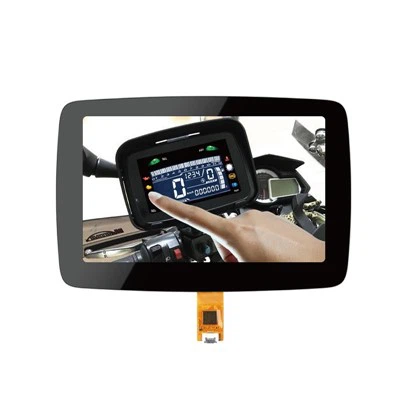
If you’re designing a product that needs a reliable display, whether it’s a portable monitor, industrial control panel, or custom gaming handheld, our team has experience building display modules with HDMI boards tailored to your exact needs. We work with small hobbyist projects and large corporate clients alike, and we can provide custom EDID programming, temperature-resistant components, or custom size panels to match your design. Don’t hesitate to reach out to our team to discuss your requirements and get a quote for a display module with HDMI board that fits your project.
Display Module with HDMI Board References
- HDMI Licensing Administrator, Inc. (2024). HDMI 2.0 Specification Overview.
- Silicon Image, Inc. (2023). HDMI Receiver IC Application Notes for Display Modules.
- Display Industry Association (2022). Panel Timing Controller (TCON) Integration in Compact Display Modules.
- Automotive Electronics Council (2021). AEC-Q100 Standard for Automotive Grade PCB Components.
Shenzhen Mingqi Photoelectric Co., Ltd.
We’re well-known as one of the leading display module with HDMI board manufacturers and suppliers in China, featured by quality products and good price. Please rest assured to buy bulk customized display module with HDMI board from our factory. Welcome to view our website for more information.
Address: 3rd Floor, Building A, Fufang Science and Technology Park, Xintian Community, Fuhai Street, Baoan District, Shenzhen, Guangdong
E-mail: mingqisales@gmail.com
WebSite: https://www.mq-screen.com/
